
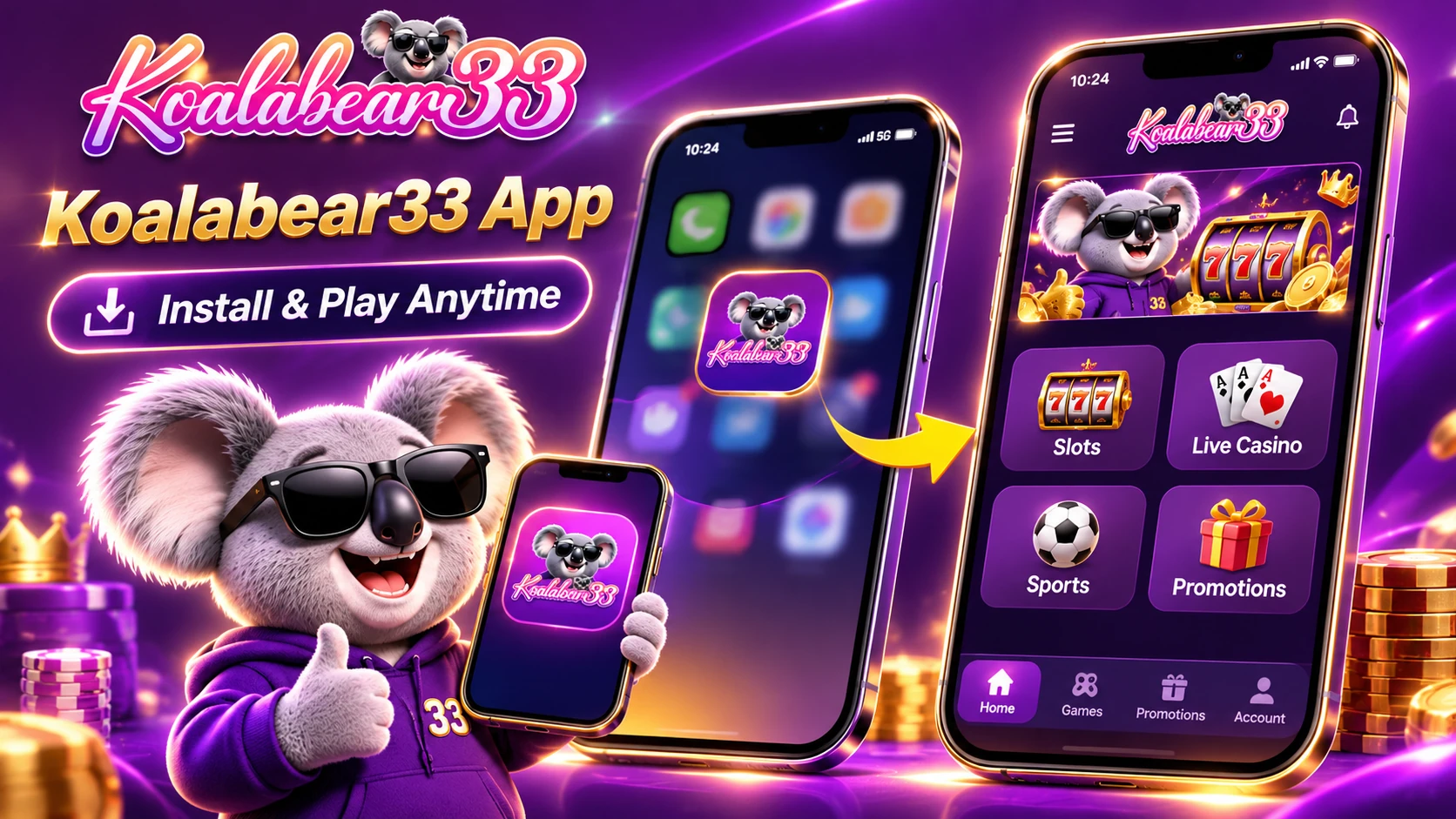
Want Koalabear33 one tap away? The Koalabear33 app puts the whole casino on your home screen: pokies, live dealer tables, promotions and your account, all in a full-screen app that opens straight to the lobby.
The good news is there’s nothing to download from an app store and no APK file to hunt down. The Koalabear33 app installs directly from your phone’s browser in under a minute, on both iPhone and Android. This guide shows you exactly how.
The Koalabear33 app is a web app. It’s built from the official Koalabear33 site and saved to your phone like a regular app. Once it’s installed:
Because it installs straight from the official site, you don’t need to search the App Store or Google Play, and you don’t need to download an APK file.
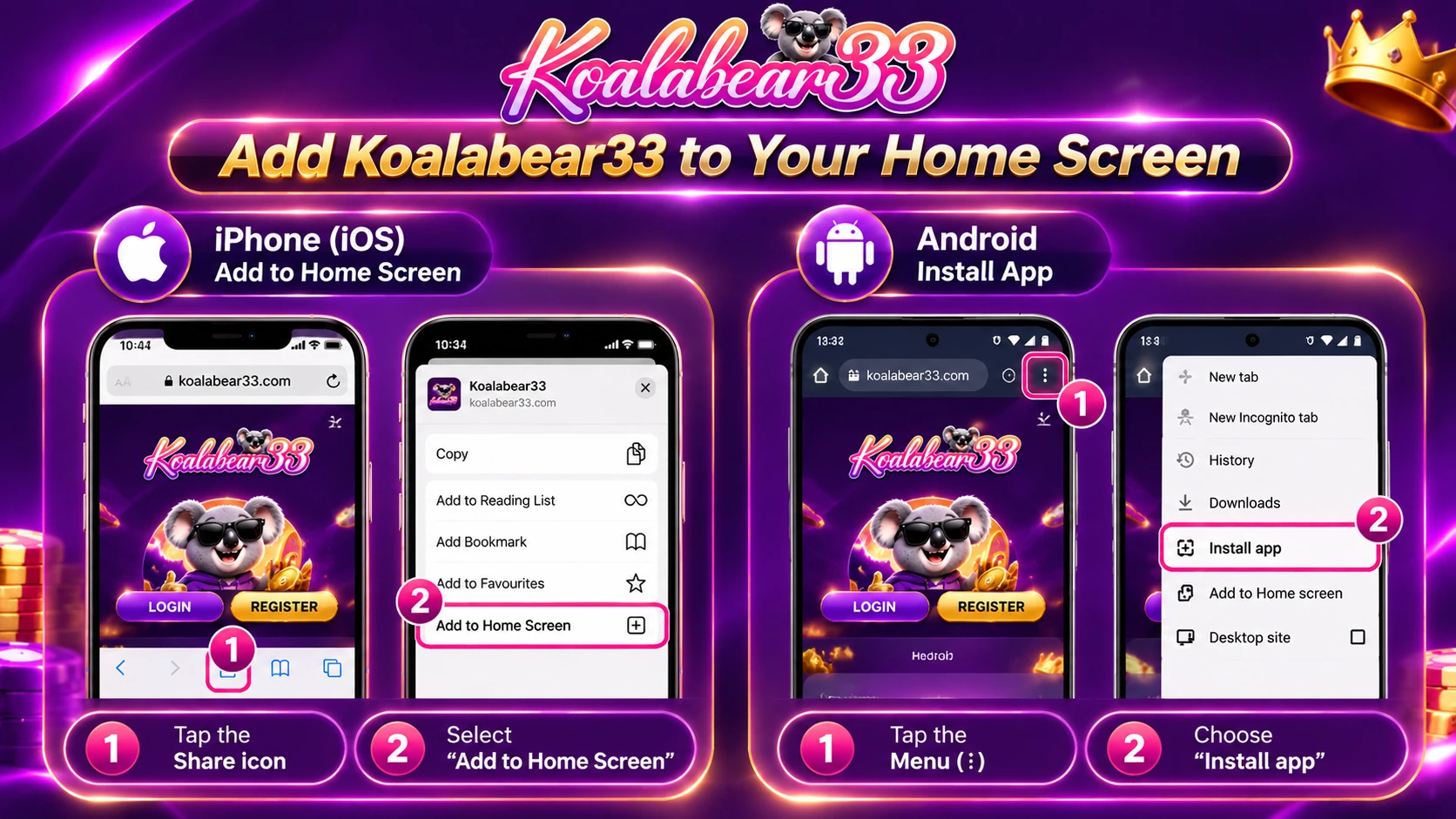
Tip: Safari is the easiest option on iPhone. On newer iOS versions, you can also use the Share button in Chrome to add Koalabear33 to your home screen.
Chrome works best. Samsung Internet also has an “Add page to → Home screen” option.
Installing the app does more than save you time. New app users can claim a one-time $77 Download App Bonus after logging in through the official Koalabear33 app.
New app users can claim a one-time $77 Download App Bonus after logging in through the official Koalabear33 app. It’s valid on slot and Event Games, and comes with a withdrawal target and a maximum withdrawal, so check the full terms on our Koalabear33 promotions page before you claim.
| Koalabear33 app | Mobile browser | |
|---|---|---|
| Opens from | Home screen icon | Typing the site or a bookmark |
| Screen | Full screen, no address bar | Browser bar takes up space |
| Storage | Almost none | None |
| App bonus | ✅ $77 Download App Bonus | ❌ |
| Games, balance and account | Same | Same |
If you play regularly, the app is quicker and unlocks the app bonus. If you only play now and then, or you’re on a shared device, the browser works just as well. Either way, your Koalabear33 account is the same.
Once installed, open the app and log in with your mobile number (starting with 61, without the first 0) or username, plus your password. Tick “Keep Me Logged In” if it’s your own phone.
Having trouble signing in? Our Koalabear33 login guide covers the number format, password resets and common login problems.
| Problem | What to try |
|---|---|
| No “Add to Home Screen” option on iPhone | No “Add to Home Screen” option on iPhone → Try Safari, or update iOS to the latest version |
| No “Install app” option on Android | Use Chrome, update it to the latest version, then try the ⋮ menu again |
| App icon disappeared | Simply reinstall it from the official site. Your account and balance are safe |
| App opens to a blank screen | Check your internet connection, close the app fully and reopen it |
| Can’t log in through the app | Check your mobile number format, or contact live chat |
| Still stuck? | Our support team is available 24/7 via live chat and Telegram. Contact us |
Because the Koalabear33 app installs straight from the official site, there is no Koalabear33 APK file and no app store listing. If you see a “Koalabear33 APK” or app offered anywhere else, such as a file-sharing site, a social media post or a Telegram message from a stranger, don’t install it. Fake apps can steal your login details or harm your phone.
Only install from the official Koalabear33 site, using the button on this page
Never enter your password into an app or page you didn’t open from an official link
If you’re unsure whether something is genuine, ask our live chat team
Yes. The Koalabear33 app is a web app you install straight from the official site onto your iPhone or Android home screen. It opens full screen and works just like a regular app.
No. You don’t need an app store. The Koalabear33 app installs directly from your browser: Safari on iPhone, or Chrome on Android.
No. There’s no APK file to download. The official Koalabear33 app installs from the browser. Avoid any “Koalabear33 APK” offered on other sites, as it may not be genuine.
Yes. It’s completely free to install, and it takes up almost no storage space.
Yes. New app users can claim a one-time $77 Download App Bonus after logging in through the app. Withdrawal targets and a maximum withdrawal apply, so check the terms on our promotions page.
No. Just log in with your existing Koalabear33 mobile number or username and password. Your balance and bonuses are the same as on the website.