
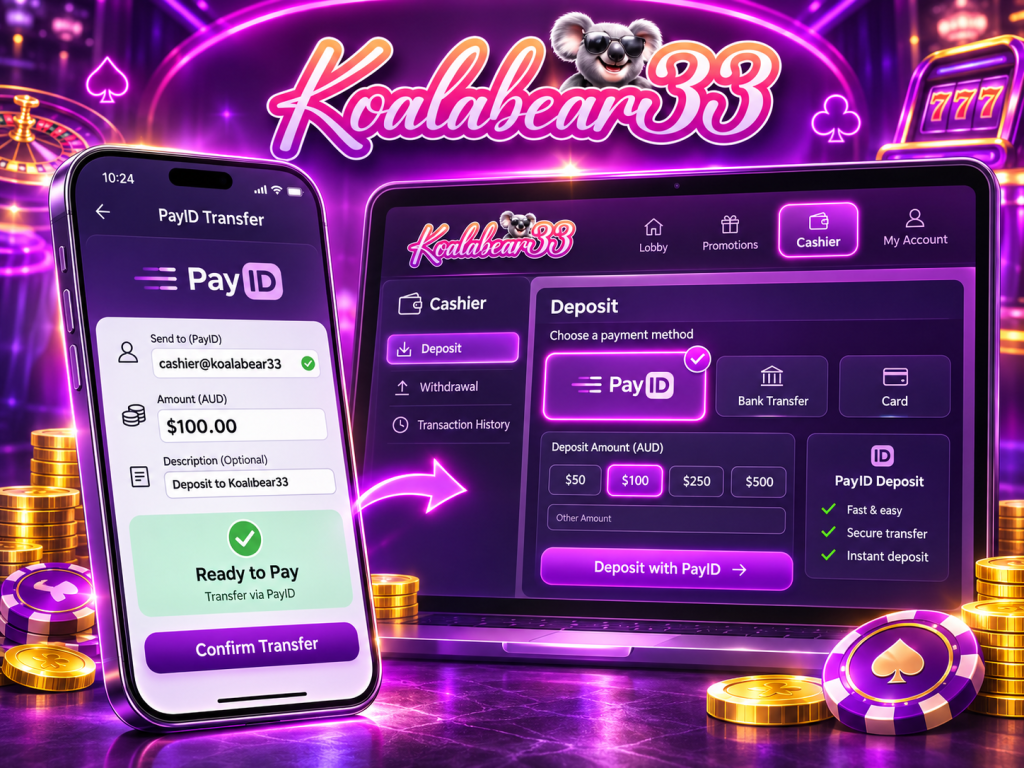
If you bank in Australia, there’s a good chance you already use PayID to split a dinner bill or pay a mate back. Koalabear33 PayID deposits work the same way: no card numbers, no long BSB and account details, and in most cases the money lands in seconds.
This guide explains how PayID works, how to deposit and withdraw at Koalabear33 using it, and the small details (like first-time payment holds and name matching) that can save you a frustrating wait.
PayID is an Australian payment system that lets you send money using something simple, like a mobile number, email address or ABN, instead of a BSB and account number. It runs on the New Payments Platform (NPP), the infrastructure Australian banks use for fast payments, which is why PayID transfers usually arrive within seconds, any time of day or night, including weekends.
You don’t need to sign up for anything new. If your bank supports PayID (most major Australian banks and many smaller ones do), you can pay to a PayID straight from your normal banking app.
Depositing takes a couple of minutes. Here’s how it works:
Tip: always pay the exact amount you entered in the cashier and include any reference shown. It’s the quickest way to make sure your deposit is matched to your account.
Most PayID payments are near-instant, but the first time you pay a new PayID, some banks hold the payment as a security check, sometimes for up to 24 hours. This is your bank protecting you, not a problem with your Koalabear33 account.
To avoid being caught out:
Daily limits: some banks cap how much you can send through fast payments each day. If a larger deposit won’t go through, check your bank’s daily limit, or split it into smaller amounts.
Withdrawals are paid to a bank account in your name. Here’s the process:
When you register at Koalabear33, the sign-up form asks for your full name exactly as it appears on your bank account. There’s a good reason for this: withdrawals can only be paid to an account in the same name as your Koalabear33 account.
If the names don’t match (a nickname, a missing middle name or a spelling difference), your withdrawal may be held while it’s checked. If you think your details don’t match, contact our support team via live chat before you request a withdrawal.
Koalabear33 also accepts cryptocurrency. Here’s how the two compare:
| PayID | Crypto | |
|---|---|---|
| Currency | AUD from your bank | Crypto converted to AUD balance |
| Speed | Usually seconds (first payment may be held) | Depends on the network |
| Fees | Most banks don’t charge for PayID payments | Network fees may apply |
| Ease of use | Uses your normal banking app | Needs a crypto wallet |
| Best for | Most Aussie players | Players who already use crypto |
For most players, PayID is the simpler option. There’s no wallet to set up and no fluctuating coin prices to think about.
| Problem | What to try |
|---|---|
| Deposit hasn’t appeared | Check your banking app. A first-time payment may be on a security hold. If it’s been paid, send the receipt to live chat |
| Name shown in banking app looks unexpected | Don’t send. Check the PayID in the Koalabear33 cashier again, or ask live chat to confirm |
| Payment rejected by bank | You may have hit your bank’s daily limit. Try a smaller amount or contact your bank |
| Withdrawal delayed | Check that your account is verified, your name matches your bank account, and any bonus conditions are met |
| Still stuck | Our support team is available 24/7 via live chat and Telegram |
Does Koalabear33 accept PayID?
Yes. You can deposit and withdraw in AUD at Koalabear33 using PayID. The minimum deposit is AUD 10 and the minimum withdrawal is AUD 50.
How long do PayID casino deposits take?
Most PayID payments arrive within seconds. Your first payment to a new PayID may be held by your bank for a security check, sometimes up to 24 hours.
Are there fees for Koalabear33 PayID deposits?
Koalabear33 doesn’t charge for PayID deposits, and most banks don’t charge for PayID payments either, but check with your own bank.
How long do Koalabear33 withdrawals take?
Once your account is verified, withdrawals are usually processed within 24–48 hours.
Why is my withdrawal delayed?
The most common reasons are an unverified account, a name that doesn’t match your bank account, or an unmet bonus withdrawal target.
Do I need to register a PayID to deposit?
No. You only need a bank that supports PayID. You’re paying to a PayID, so you don’t need one of your own.